In short: A clone copies your production database into a non-production environment, which means it also copies the settings that connect that environment to the outside world: integrations, routing, print agents, monitoring, branding, SSO. Left untouched, your freshly cloned TEST environment can start talking to production third-party systems. The community maintains a list of refresh exclusion tables to export before the clone and re-import after. Here is that list, the table people still disagree about, what IFS excludes on its own side, and the checks to run once the clone lands.
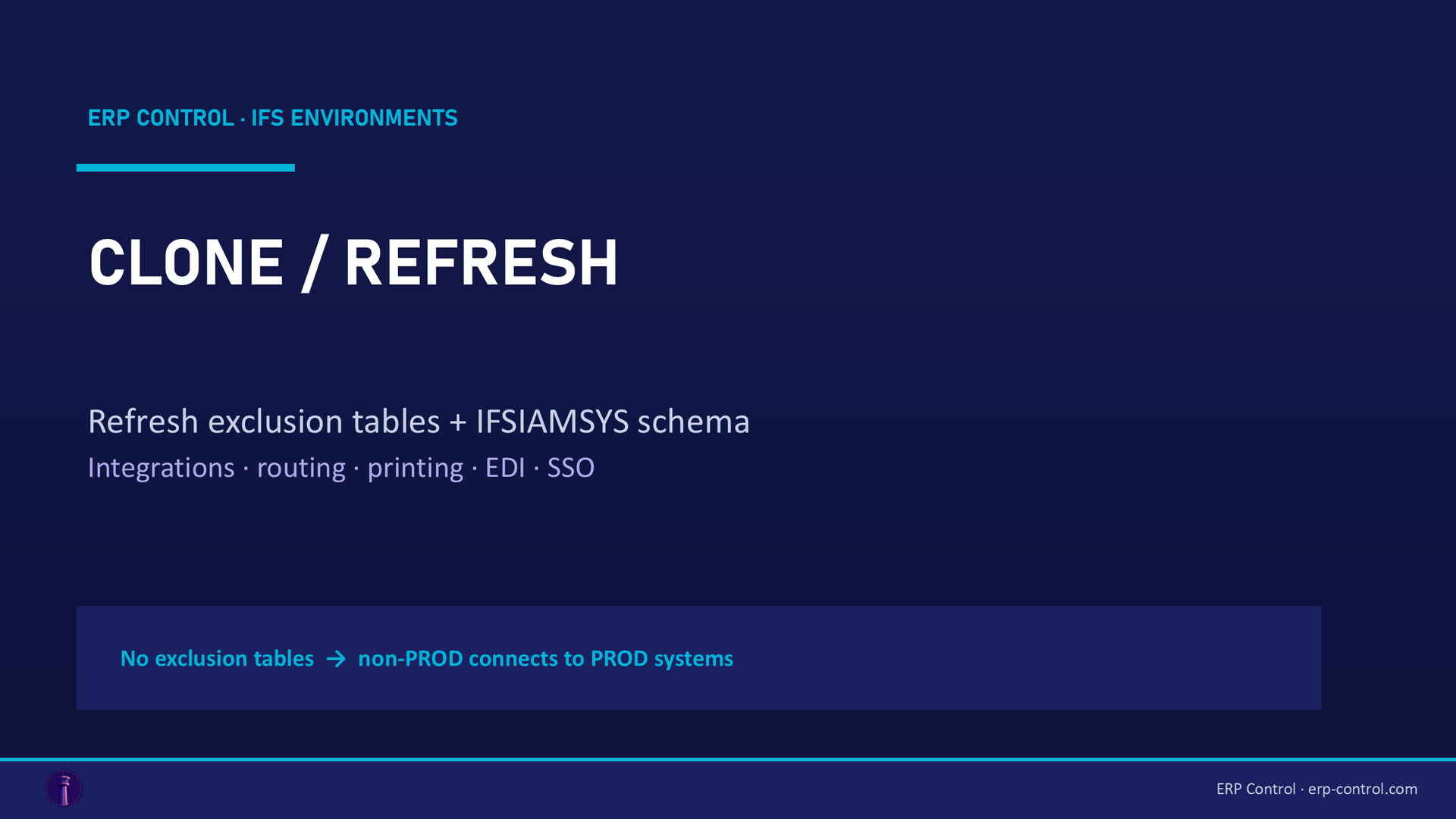
Refreshing a test environment from production sounds like a purely technical operation. It is not. A clone brings over every row, including the ones that tell your environment which printer to use, which EDI partner to answer, which SSO tenant to trust and which scheduling engine to feed. That is how a TEST environment ends up sending real messages to real partners.
The IFS community has been documenting this for three years, on a thread that has grown into the de facto reference on the subject. What follows is a synthesis, with the disagreements left visible rather than smoothed over.
First question: who can actually clone what
The answer depends on where your environment runs, and it surprises a lot of teams.
IFS managed cloud. You do not have access to the Oracle database, so you cannot clone anything yourself. You raise a case, and IFS performs the clone. Practitioners report a turnaround of several days, limited time slots, and the need to book the operation roughly two weeks in advance. Managed cloud customers have since gained access to automated cloning options through the service portal.
On premise (or remote deployment). You do it yourself, with a DBA and an IFS administrator, following your usual cloning and refresh procedures.
Cloud to on premise. This is the hard one, and there is no official procedure. One team documented what it took: finding a pathway able to receive large file transfers from the cloud (the FTPS pathways defined in the COG appeared to support customer-to-IFS transfers, not the reverse), requesting a backup of the source environment through a ticket, and having a DBA reassemble a database delivered in parts. Budget for friction here.
The heart of the matter: refresh exclusion tables
This is the part that earned the thread its reputation, and it comes from the answer the community validated.
A series of tables should not be carried over from PROD into a non-PROD environment, so that your non-production systems do not connect to third-party production systems. The procedure is mechanical:
- Export these tables from the target environment before the clone.
- Clone the database.
- Re-import the exported tables into the target environment.
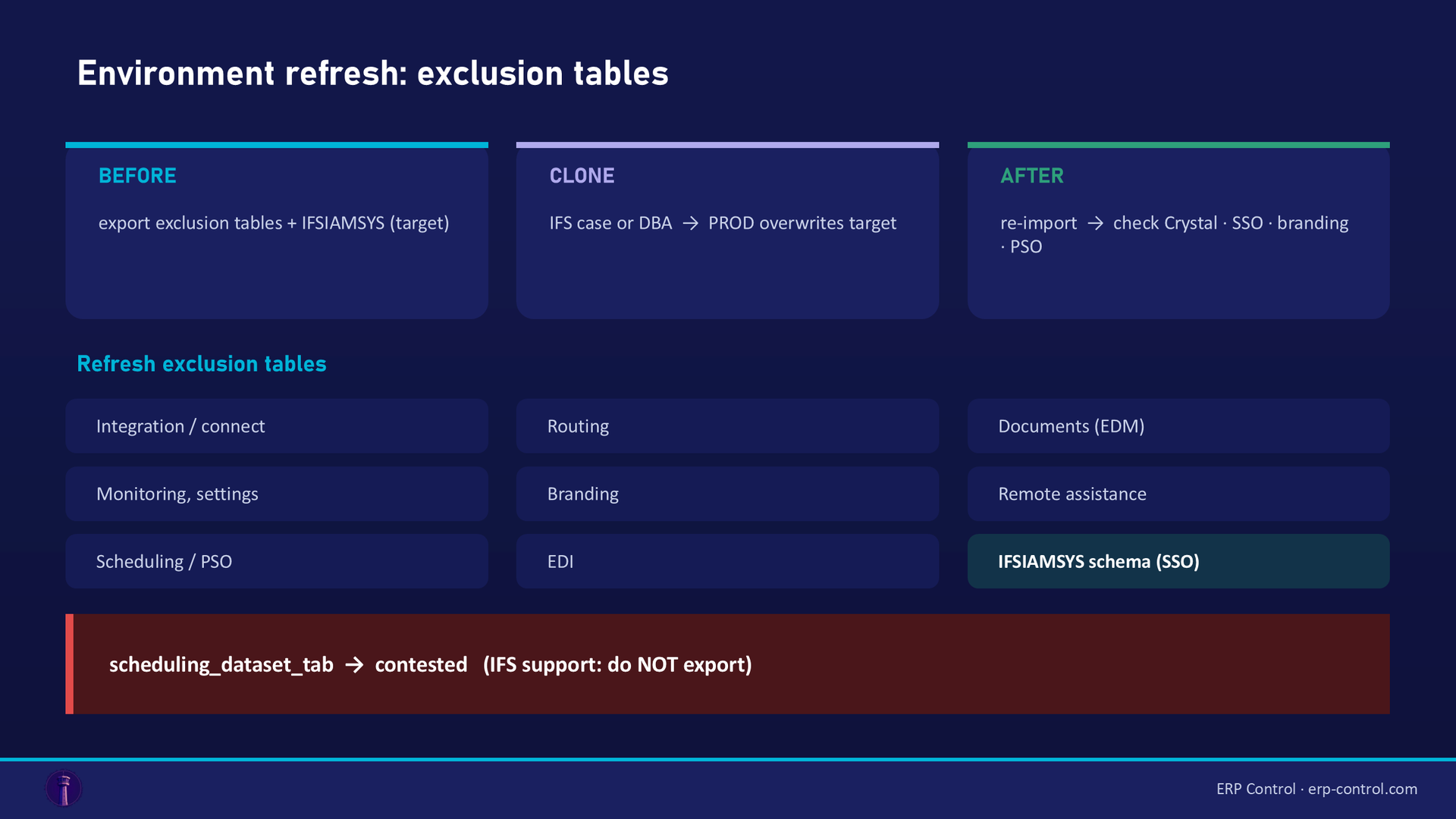
The original list was obtained from IFS for Cloud 21R2, then extended by practitioners release after release. Grouped by what they actually control:
Integration and connectivity
connect_envelope_tab, connect_print_agent_task_tab, connect_queue_tab, connect_reader_tab, connect_sender_tab, connect_server_tab, connect_simple_routing_tab, connect_transformer_tab, custom_connector_library_tab, custom_reader_param_tab, custom_sender_param_tab, plsqlap_environment_tab
Routing and addressing
routing_address_tab, routing_address_runtime_tab, routing_rule_tab, routing_rule_address_tab, routing_rule_condition_tab
Documents and media
edm_location_tab, edm_location_user_tab, media_archive_tab
Monitoring, settings, reporting
fnd_monitor_category_tab, fnd_monitor_entry_tab, fnd_setting_tab, report_plugin_settings_tab, brbase_property_tab, common_messages_tab, config_instance_tab, config_instance_param_tab
Branding (so users can tell which environment they are in)
fnd_branding_tab, fnd_branding_property_tab, fnd_branding_resource_tab, fnd_branding_token_tab
Remote assistance
remote_assistance_customer_tab, remote_assistance_group_tab, remote_assist_group_user_tab, remote_assistance_user_ab (published with this spelling in the source thread, most likely a typo for _tab: check the exact name in your version)
Scheduling and Service Management (PSO)
scheduling_config_tab, scheduling_mapping_tab, svcsch_configuration_tab, tm_serve_parameters_tab
EDI
cust_addr_cross_reference — excluded to avoid having to set EDI up again
And one schema, not a table: IFSIAMSYS. Practitioners recommend treating it exactly like an exclusion table: export it before, import it after, to retain Azure SSO and the environment identity. This one is easy to forget because it is not in the table list.
Two caveats before you copy this into a runbook. The list has been assembled by users over several releases, so verify it against your own version; and it reflects what those teams needed, so an integration you use and they did not will not be on it.
The table the community disagrees about
scheduling_dataset_tab deserves its own section, because the thread contains both positions.
A team excluded it during their first post-go-live clone, following the community list. Their PSO test environment then stopped updating. IFS support investigated and concluded the cause was precisely that exclusion: the Last_Change_Log_Id field is updated whenever a change message is produced, and re-importing an older version of the table left that sequence out of sync with the rest of the system. Support advised not to export this table. Deactivating and re-enabling the dataset did not fix it.
Later on the same thread, another practitioner listed scheduling_dataset_tab among the exclusions they had identified through trial and error.
Both accounts come from teams running PSO in production. Treat this one as contested: decide it in your own environment, and expect to have to recreate or resynchronise the dataset after the clone either way.
What IFS excludes on its side, and you may not be able to change
The exclusion list solves the problem in one direction: things you do not want copied. There is a second direction, less documented, where IFS's own refresh rules decide what does not get refreshed, and you have to live with it.
A team cloning PROD to CFG through Clone Environment in Environment Studio found that data for certain custom events survived in the target environment instead of being replaced. Support told them the refresh rules exclude FND_EVENT_ACTION, FND_EVENT, custom extension tables and configuration tables. Their follow-up question, asked in July 2026, is how to configure those refresh rules so the target ends up identical to the source. It is still unanswered.
Worth knowing before you promise anyone a target environment that is an exact copy of production: with the standard tooling, it will not be.
After the clone: what to check
The clone finishing is not the end of the operation. The recurring checks reported by practitioners:
Crystal reports. A classic: after a PROD to non-PROD clone, reports fail with a logon error (Database Vendor Code: 1017, incorrect logon parameters). The validated fix is to check the credentials in the CrystalWebService_XXXX.zip file and align them in the Crystal web instance directory, then restart the Crystal web server. If it still fails, reconfigure through the IFS installer, take ifs-crystal-config.xml from ifs_home/instance/<instance_name>/CrystalWebService_XXXX.zip, put it in the Crystal web instance directory so the encrypted password is correct, verify the TNS entry, and restart.
SSO and identity. If IFSIAMSYS was not preserved, expect authentication problems in the refreshed environment.
Branding. If the branding tables were not preserved, your TEST environment now looks exactly like production. Users will act accordingly.
Scheduling and PSO. Disable the dataset, disconnect the configuration, then connect and enable it again. Expect to have to resynchronise regardless of your choice on scheduling_dataset_tab.
Integrations. Anything in the connect and routing families should be verified before the environment is opened to users, not after.
Does cloning slow down production?
The question comes up whenever a clone is scheduled to run for ten hours in a company that operates around the clock. The answer from practitioners is that clones should not affect the source environment's performance, and that the thing worth checking is whether heavy background jobs or maintenance are scheduled at the same time on the source.
On remote deployments running in Azure, one team avoids the question entirely by taking a snapshot of the database VM disk and spinning up a separate clone VM from it. Snapshots are near instantaneous, so the source sees nothing. That option depends on your deployment model.
What happens to your configuration afterwards
Here is the part nobody plans for. Once the clone lands, the target environment holds production configuration, and everything the team had set up there is gone: the parameters tuned for testing, the permission sets built for the test users, the jobs being validated. You get a faithful copy of production, and you lose your work in progress.
The migration jobs go through their own procedure, which has the same overwrite trap: see moving a migration job between environments. The permission sets built for your test users have to be rebuilt too, on a security model that is harder to read than it looks.
That is a promotion problem, not a cloning problem. Which is exactly the territory ERP Control covers: promoting configuration between environments (CFG, TRN, UAT, PROD) with a comparison before writing, selection at object level, and a record of what was promoted, by whom and when. So a refresh becomes an operation you can prepare and replay, rather than an event you recover from by hand.
See how ERP Control handles configuration promotion across your IFS environments: explore the configuration promotion module.
Checklist for an environment refresh
Before
- Confirm who performs the clone (IFS case, portal automation, or your DBA) and the lead time.
- Export the refresh exclusion tables from the target environment, plus the
IFSIAMSYSschema. - Decide your position on
scheduling_dataset_taband write it down for next time. - List the target configuration you are about to lose, and how you will restore it.
- Check no heavy job or maintenance window overlaps on the source.
After
- Re-import the exclusion tables.
- Verify Crystal reports, SSO, branding, scheduling, integrations.
- Re-promote the configuration the target environment needs to do its job.
- Confirm no non-production environment can reach a third-party production system.
See ERP Control on your own case
Refreshing an environment is the moment configuration promotion stops being theoretical. In a POC, we take a promotion you actually have to redo after a refresh and replay it in ERP Control, with the comparison and the log.
What happens next: a 30-minute call to scope the need, a demo on your data, then you decide. No commitment.
FAQ
Can I clone an IFS managed cloud environment myself?
No. You have no access to the database, so the clone goes through a case with IFS, or through the automated cloning options in the service portal. Plan lead time: practitioners report limited slots and booking around two weeks in advance.
What are refresh exclusion tables?
Tables holding the settings that connect an environment to the outside world (integrations, routing, print agents, EDM locations, monitoring, branding, scheduling, SSO). You export them from the target before the clone and re-import them after, so your non-production environment does not connect to third-party production systems.
Should I exclude scheduling_dataset_tab?
The community is split. One team was told by IFS support not to export it, after excluding it broke their PSO test updates through a Last_Change_Log_Id mismatch; another lists it among their exclusions. Decide it in your environment, and plan to resynchronise the dataset either way.
Why are my Crystal reports broken after a clone?
Because the credentials in the Crystal configuration no longer match the cloned database. Check them against the CrystalWebService_XXXX.zip file, align the Crystal web instance directory, verify the TNS entry, and restart the Crystal web server.
Will the target environment be an exact copy of production?
Not with the standard tooling. IFS's refresh rules leave some data out, notably around events, custom extension tables and configuration tables. A team asked in July 2026 how to configure those rules; the question is still open.
Sources
Real cases from the IFS community (discussions with a validated or expert answer):
- IFS Community discussion: cloning an IFS Cloud database, and the refresh exclusion tables (2022-2025)
- IFS Community discussion: Crystal reports failing after a clone (2024)
- IFS Community discussion: refresh rules and data left in the target environment (2026)
- IFS Community discussion: clone impact on source environment performance (2024)
Part of our pillar guide: IFS Cloud Data Migration, the complete 2026 guide.