
Published June 11, 2026 — by the ERP Control team (Globasoft) · 8 min read
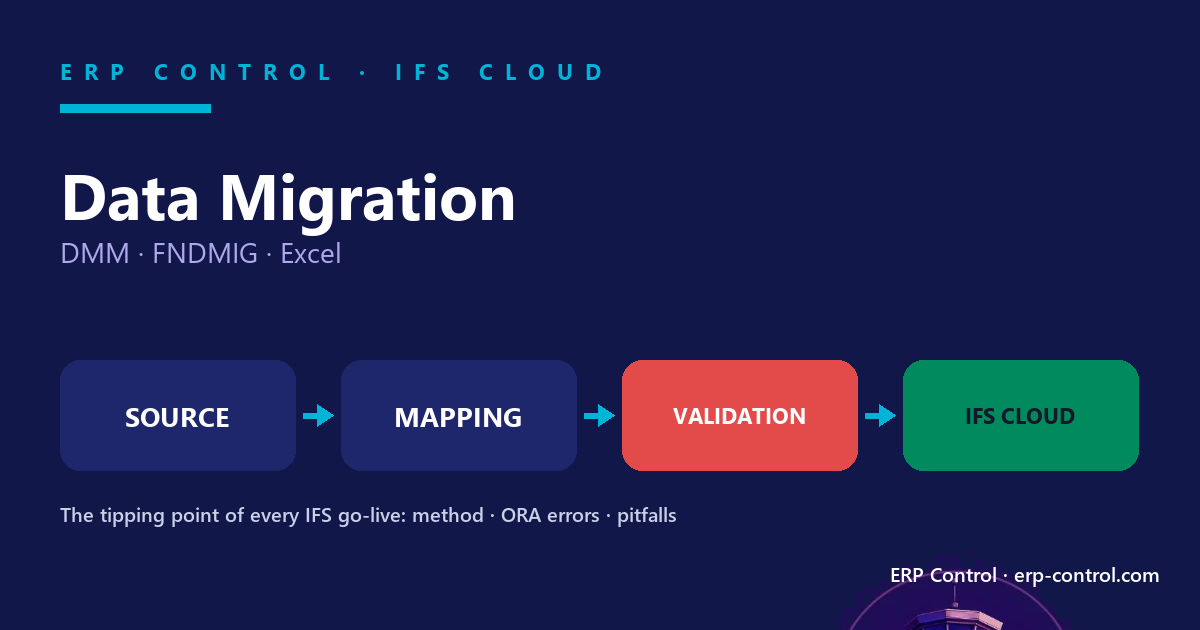
In short: an IFS data migration rarely fails on pure technique — it fails on preparation, mapping and load order. This guide covers the three native tools (Migration Job/FNDMIG, Data Migration Manager, Excel), the 7-step method, a dictionary of the most common ORA errors, and the pitfalls that derail a project.
Data migration is the tipping point of any IFS Cloud project. The configuration can be flawless and the processes perfectly modelled: if the reference data (customers, suppliers, parts, structures, balances) doesn’t land correctly, the go-live derails. Yet it is the most underestimated phase — started late, without method, with the wrong tools.
The 3 native IFS migration tools (and when to use each)
Confusing the Migration Job, DMM and the Excel add-in — or using the wrong one for a case — is one of the first causes of wasted time.
Migration Job (FNDMIG) — the technical engine
The mass-loading engine: it reads a source (CSV loaded into an IC table, or a query) and writes through IFS business APIs. Key procedures: CREATE_TABLE_FROM_FILE, MIGRATE_SOURCE_DATA, INSERT_OR_UPDATE. Best for high volumes, technical data, repeatable scenarios.
Data Migration Manager (DMM) — the project approach
Structures the migration as a project (scope, basic data container, guided mapping, steps up to Approved). The most guided tool. Watch out: an “Approved” DMM project can still throw a basic data validation error.
Excel add-in — the key-users’ tool
Export a structure, edit it in Excel, re-import. The most accessible to business users. Known limit: beyond ~3,000 rows the add-in often throws a validation error, forcing you to split into batches. And an Office update can break the add-in overnight.
| Tool | Best for | Key limitation |
|---|---|---|
| Migration Job (FNDMIG) | High volumes, technical, repeatable | Steep learning curve |
| Data Migration Manager (DMM) | Structured migration, basic data | “Approved” ≠ valid |
| Excel add-in | Adjustments, small volumes | ~3,000 rows; broken by Office updates |
Native tool or no-code? ERP Control vs IFS Data Migration Manager (DMM)
Operating across environments: Move a migration job from DEV to PROD · Clone an environment without breaking it · Permission sets: projection, not page
How to migrate data in IFS Cloud: the 7-step method
- Scope definition
- Source extraction & profiling
- Mapping construction
- Loading in the right order
- Validation before the real run
- Reconciliation (volumes + totals)
- Cutover & freeze
Industrialize steps 3–5 on a CFG environment first, then replay the same migration on UAT, TRN and PROD. A migration that hasn’t been replayed identically across environments is not reliable.
Load order: the dependency rule
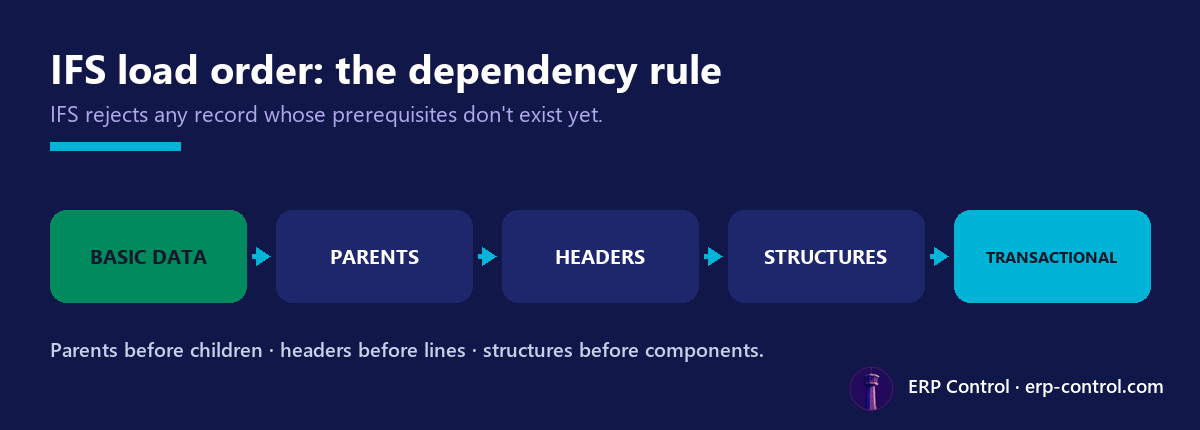
- Basic data before transactional — codes, units, currencies, accounts first.
- Parents before children — the link field (e.g.
SUP_MCH_CODE) is often insert-only: miss it on insert and you start over. - Headers before lines (customer orders) — otherwise
ORA-20111 Site.NOTEXIST2. - Structures before components —
PROD_STRUCTURE_HEADbefore what attaches to it.
Mapping: where 80% of errors happen
- Non-editable fields —
ORA-20122 … may not be modified(e.g. CATALOG_TYPE on SALES_PART). - INSERT vs UPDATE —
ORA-20112 FND_RECORD_EXIST→ switch toINSERT_OR_UPDATEor de-duplicate. - Unwanted mandatory fields — handle PARTY_TYPE as a default value rather than removing the column.
- Custom fields (CFV) across two structures →
ROWKEY error. - Record order (SEQUENCE_NO) — 6 of 8 records, no error shown: always reconcile.
Dictionary of IFS migration errors
| Error | Probable cause | Fix |
|---|---|---|
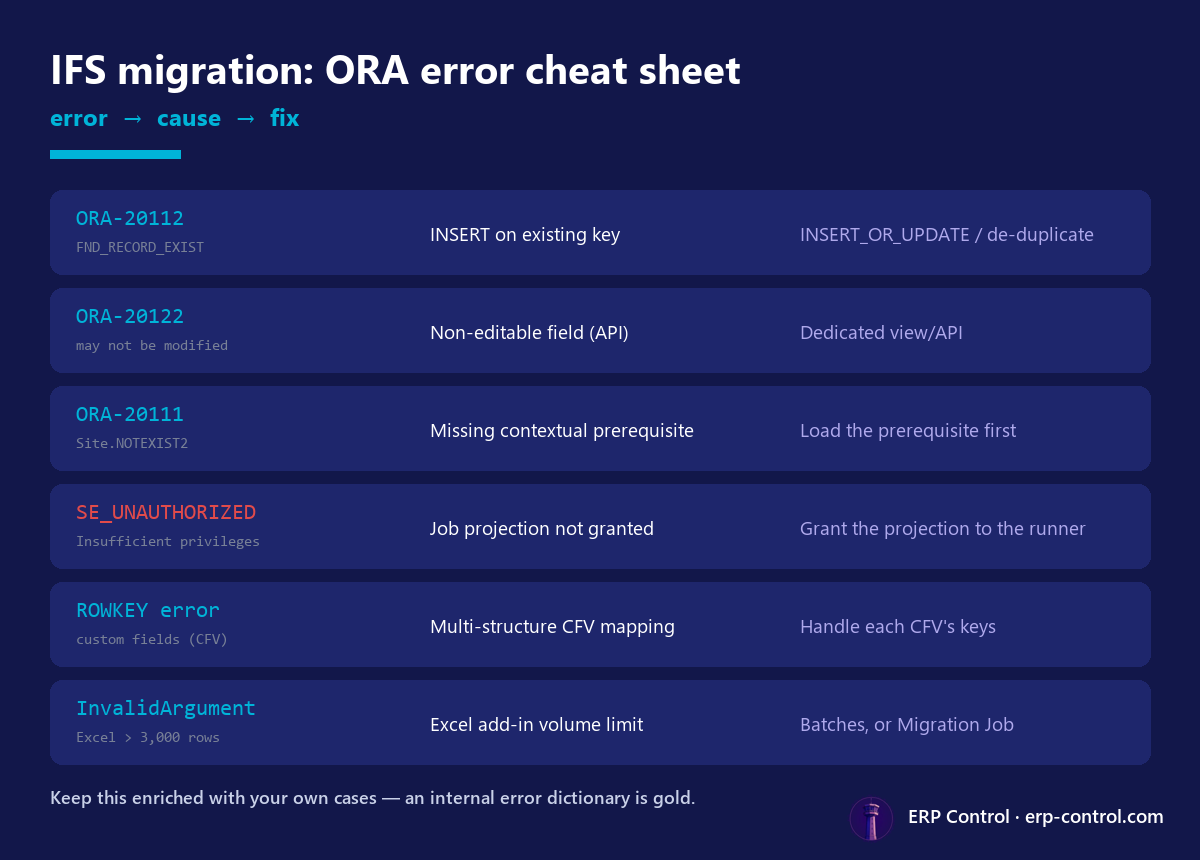
| ORA-20112 FND_RECORD_EXIST | INSERT on an existing key | INSERT_OR_UPDATE / de-duplicate |
| ORA-20122 may not be modified | Non-editable field (API) | Dedicated view/API |
| ORA-20111 Site.NOTEXIST2 | Missing contextual prerequisite | Load the prerequisite (Site) |
| SE_UNAUTHORIZED | Job projection not granted | Grant the projection to the runner |
| ROWKEY error | Multi-structure CFV mapping | Handle each CFV’s keys |
| InvalidArgument (Excel, >3,000 rows) | Excel add-in volume limit | Batches, or Migration Job |
Fix each error step by step: ORA-01400 · ORA-02291 · ORA-20110 · ORA-20111 · ORA-20112 · ORA-20114 · ORA-20122 · ORA-20124 · SE_UNAUTHORIZED
The 6 pitfalls that derail a migration
- Underestimating preparation
- Volumes (Excel ~3,000 rows)
- Permissions (SE_UNAUTHORIZED)
- Statuses & locked fields
- No reconciliation
- Non-repeatability across environments
Automate and secure the migration
Native tools do the job but leave teams with everything repetitive and risky: redoing the mapping for each environment, handling large volumes in batches, keeping an auditable trace of what was loaded.
That is precisely what ERP Control automates: IFS export to structured Excel, editing in a familiar tool, then a row-by-row validated re-import with column-to-field mapping and automatic POST / PATCH / DELETE orchestration — across all your environments, via the standard ODATA API, with no custom development. It also complements configuration promotion, security & permissions and data quality & GDPR anonymization.
Preparing an IFS Cloud data migration? Request a free 2-week POC and test automated, row-by-row validated migration on your own data.
FAQ
How do I migrate data in IFS Cloud, step by step?
Follow seven steps: scope, extraction & profiling, mapping, loading in the right order, validation, reconciliation, then cutover & freeze. Industrialize them on CFG and replay them identically across UAT, TRN and PROD.
What is the best tool to migrate data in IFS Cloud?
It depends on volume and profile: the Excel add-in for adjustments and small volumes, DMM for a structured migration, and the Migration Job (FNDMIG) for large, technical, repeatable volumes.
What does ORA-20112 FND_RECORD_EXIST mean?
The record already exists: you are attempting an INSERT on an existing key. Switch to INSERT_OR_UPDATE or de-duplicate the source.
Why does my Excel migration fail beyond 3,000 rows?
The Excel add-in hits a validation limit on large volumes. Split into batches or switch to a Migration Job.
In what order should I load data into IFS?
Always: basic data first, then parents before children, headers before lines, structures before components.
Should I replay the migration across several environments?
Yes. A reliable migration is designed to be replayed identically from CFG to UAT, TRN then PROD — that’s what guarantees no surprise at go-live.
Cases reported by the IFS community and the field. Any unverified element is flagged “to confirm depending on the IFS Cloud version and client context”.